Plexamp for Audiobooks
Plexamp is an amazing music player. However using it as an audiobook client too works incredibly well with some caveats, just maybe not as many as you'd expect.
There are some pretty decent self-hosted audiobook players for mobile in 2024. On mac and iOS, Prologue seems to be the most recommended. It's fully featured, polished, and inexpensive. On android, however, the best audiobook player I've come across is surprisingly Plexamp.
-
First off, its free! This wasn't always the case, and most of the Plex pass (paid) features are mainly tailored to premium music playback features which aren't all that relevant to audiobook playback. The one exception being offline downloads falling into the paid category, see the official Plexamp page for a comparison list.
-
You don't actually need a Plex server. If you've heard the term "self-hosting" then you're probably already familiar with Plex and very likely already have a Plex server of your own. If you don't but at least have an account and a linked friend that maintains a Plex server with a shared audiobook library, then congratulations! That's what friends are for.
-
If you already use Plexamp as a music player for your or a friend's music library, then here is where it gets a little messy. Below I'll show how to tweak Plexamp to best playback audiobooks. Those settings aren't really reasonable for music playback. Though switching between libraries in the app is pretty simple, reconfiguring the settings back and forth would be a deal breaker for most people.
-
Configuring the audiobook library takes a little effort but is worth it. Here is a detailed guide. Most of the guide includes optional steps, but the important bits are to ensure your audiobook files are combined into a single file (I like Audiobook Binder on Mac) and named properly. It also requires installing a Plex bundle to enable metadata fetching, but isn't as hard as you think.
-
Basically if you don't already use Plexamp for music and have access to a Plex audiobook library, then continue on dear reader.
Download the App
- Plexamp Site.
- Or your app store of choice.
Intro screen
- Log in to your Plex account.
- Select the audiobook library you'd like to use. If linking to a friend's library and it's not showing up in the intro screen, pick any audio library for now, you can change this later.
- Don't worry about smart playlist features if asked. Maybe just keep Recently Added and Recently played checked.
Settings
Note: The settings tips that are highlighted below are specific to the official Plexamp android app with Plex pass. Your settings might differ if on the free version or a different operating system.
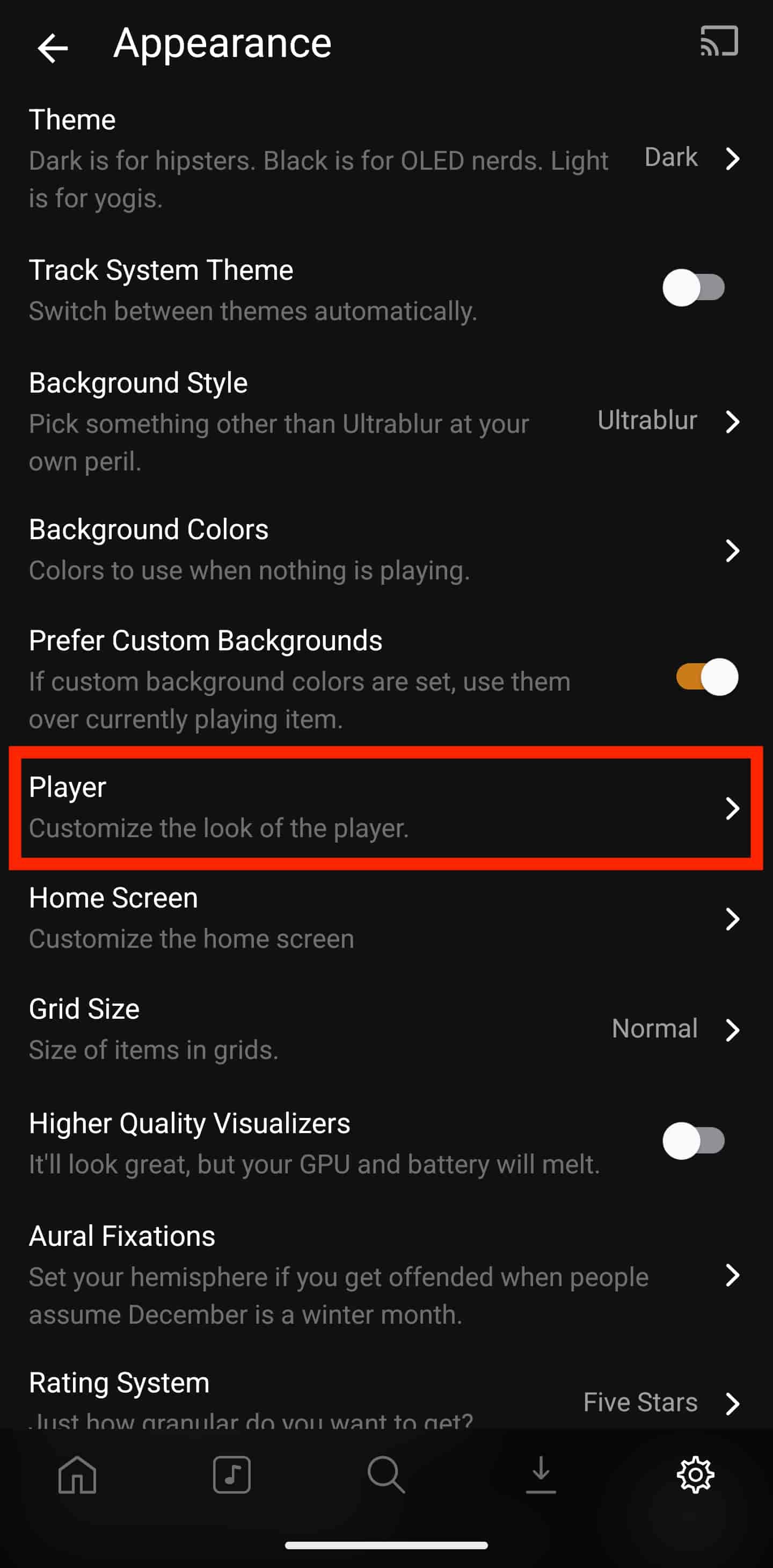
- Open the settings tab. Feel free to comb through each of the settings to customize to your liking, but what follows will tweak the app as an audiobook player.
- (Settings -> Source) Here you have the option to change your 'Source' library to your or your friend's specific audiobook library.
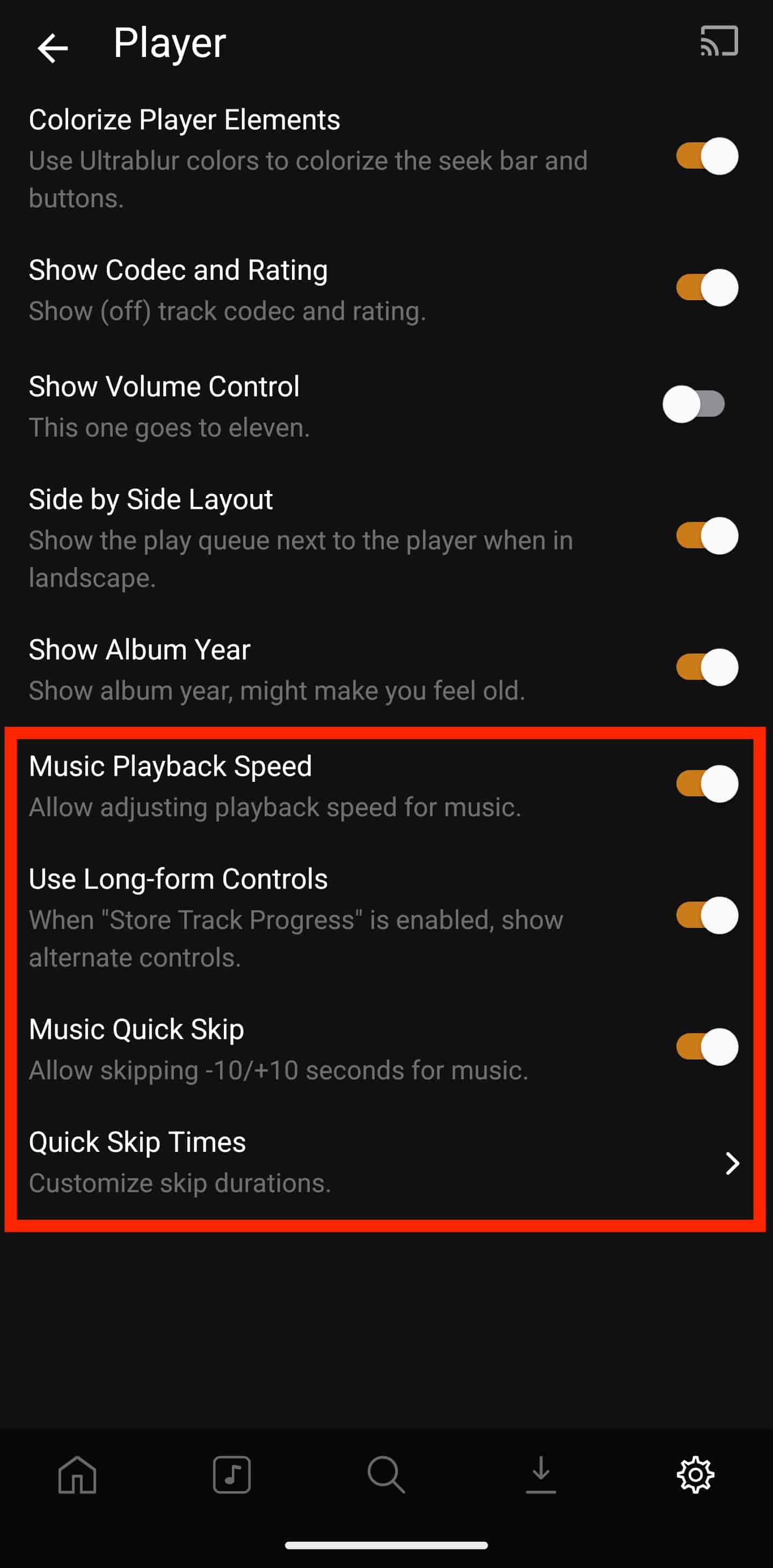
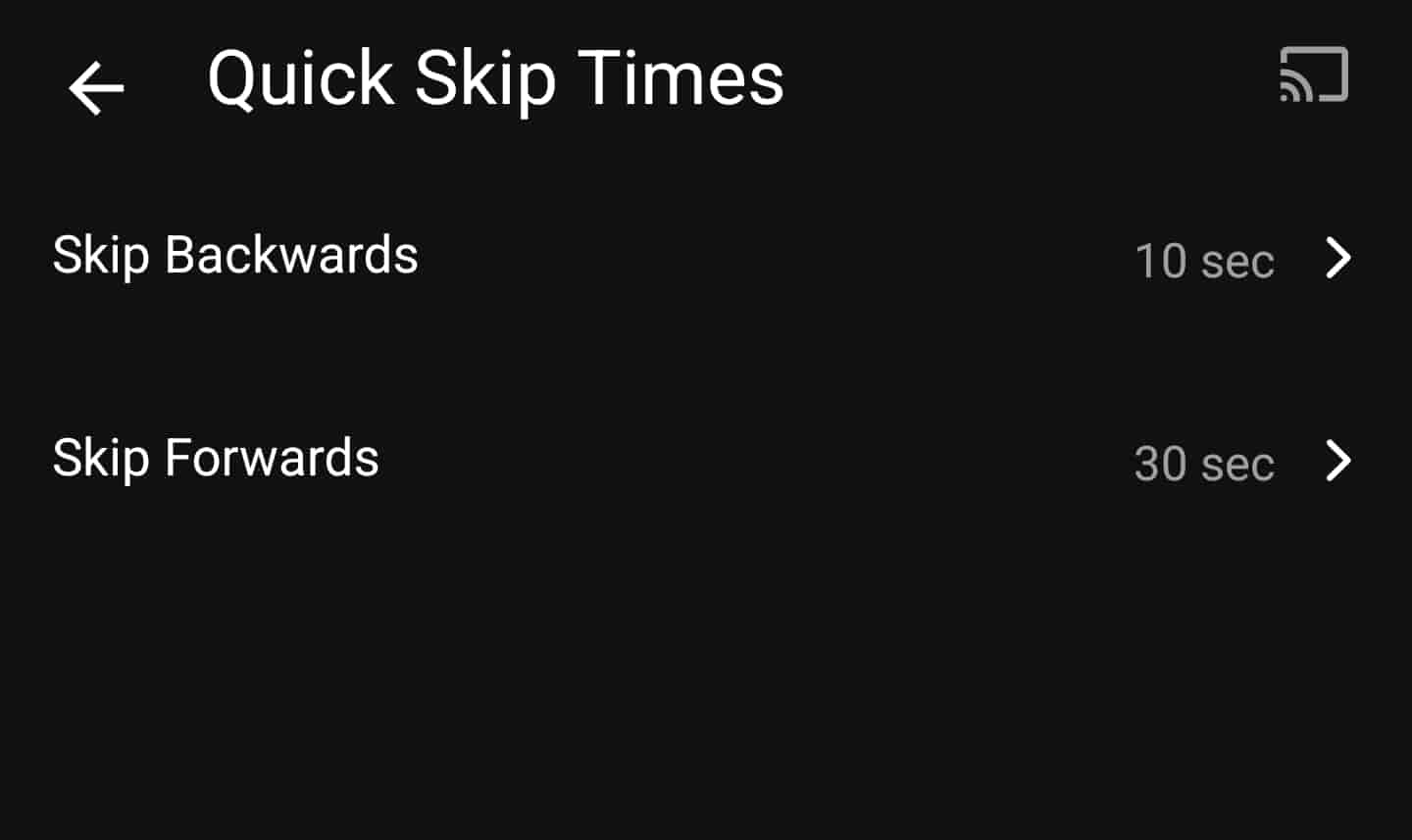
- (Settings -> Appearance -> Player) Here enable 'Music Playback Speed', 'Use Long-form Controls', 'Music Quick Skip', then tap 'Quick Skip Times' to customize the duration to skip forward and backward.
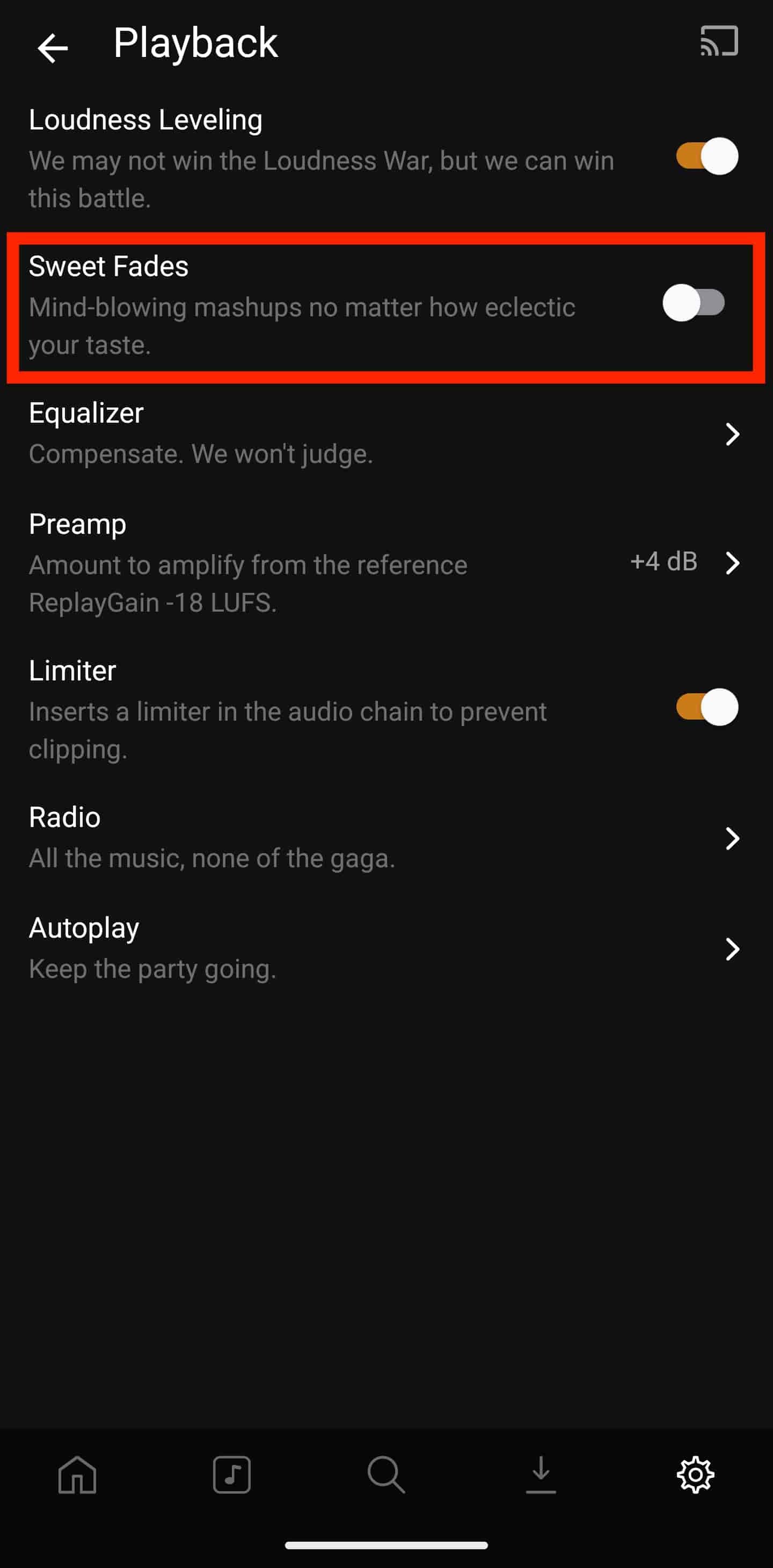
- (Settings -> Playback) Disable 'Sweet Fades'.
Congrats!
Initially setting up an audiobook library on Plex and converting your books, as well as configuring the Plexamp app can be pretty tedious. Thankfully, it's not as complicated as it first appears and once it's done, it's pretty much smooth sailing. If I missed anything or you get stuck somewhere feel free to contact me an any of the links below.
Links below for questions and comments.