Joy of Programming - First Impressions
Learning to code is challenging. Getting focused and in the right mindset is key. I loaded up the Joy of Programming for the first time at the end of a long day, not ideal. With that, I liked the intro and the way the game is presented, definitely unique.
I have a reasonably modern gaming pc that was surprisingly taxed when running this game. Initially at least, it's not a very dynamic game but it shoots for realistic assets and lighting which definitely crank up my case and gpu fans.
After logging into a virtual laptop (nice touch), you're presented with a warehouse setting and a short tutorial. You get a text editor overlay in one corner that's really the main focus. Another toolbar opens a list of perks that get unlocked as you progress through the game, allowing you to utilize more components of python. It seems like the goal is to limit you to the basics for these specific sections and not use more advanced methods just yet. You also get an assistant, tutorial window, console, and a simulation speed controller.
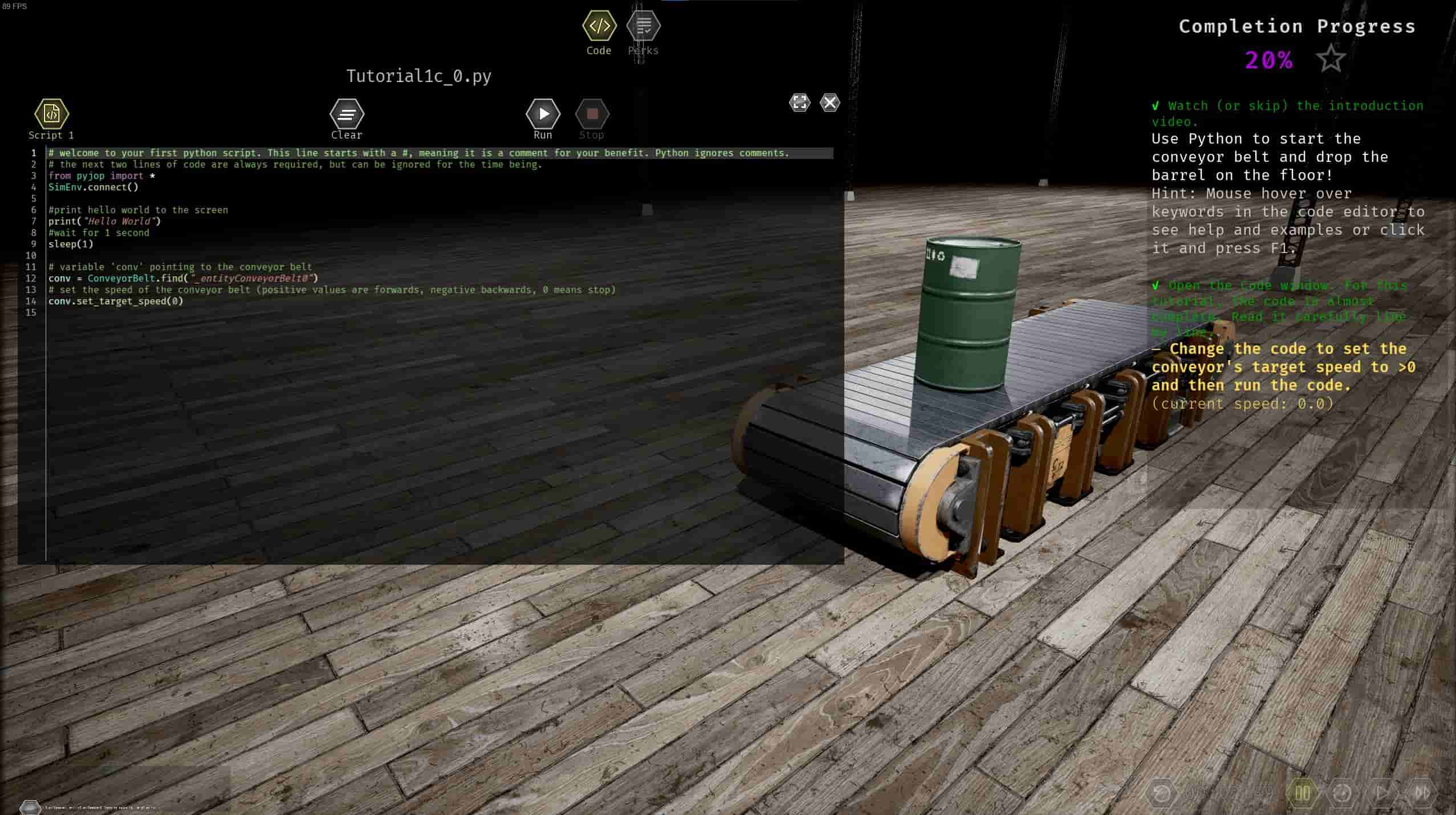
So far, the tutorial has tasked me with modifying and fixing errors in code to operate the various warehouse equipment appropriately. I appreciate the real world application and immediate feedback to your code. This game does not hold your hand. Even in the first couple tutorial sections, I had to click the link to the solution (short youtube videos that open in your real world browser) walking you through the section. You really need to pay attention to the variable names and reference them for subsequent sections. Or maybe I just missed a reference somewhere else on screen.
The assistant is as useful as it is useless. Once you start typing some relevant terms, you get a list of predefined questions it's prepared to answer. I'll have to explore this more in the future.

Again, I went in low energy and after about a little over an hour, I was getting bleary eyed. I suppose I was engaged enough, probably more so than reading a python book, but next time I'll go in rested and caffeinated. Your experience might be different if or when the game gets updated. I am in no way affiliated with this game, blah, blah, blah.
Also, with anything I'm actively learning, I build ANKI cards to use to reinforce my memory, see my initial post for more details. Here are the initial cards I'm inputting for anyone doing something similar.
Bonus Anki Cards (click me to expand)
Comment Syntax
#
Variable Syntax
conv = ConveyorBelt.find("_entityConveyorBelt0")
Why is indentation important?
It scopes code blocks.
For Loops
Iterate over a construct. Note the colon and indentation.
for i in range(100):
#print numbers from 0 to 99
print(i)
If Conditionals
Branch constructs into logical paths. Note the colon and indentation.
import random
a = random.random()
if a < 0.5:
print("heads")
else:
print("tails")
Links below for questions and comments.